
When moving a WordPress blog to Blogger, images and other file attachments won't migrate, and you must set up custom redirects manually.
How to Move Your Blog From WordPress to Blogger
When moving a blog from WordPress to Blogger, you must first export the blog, comments, pages, and posts from WordPress before importing them into Blogger. Here's how to do it:
1.Go to the WordPress dashboard and select Tools from the menu on the left.
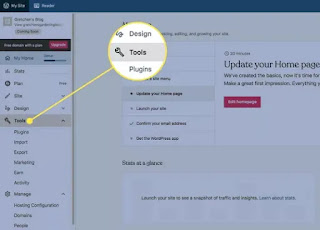
2. Select Export to open the Export Content screen.
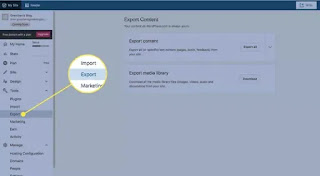
3. In the Export Content section, select Export All. A confirmation appears that indicates the export was successful, and a download link is sent to your email
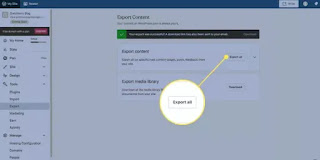
4. Download the exported WordPress blog file to your computer and unzip it.
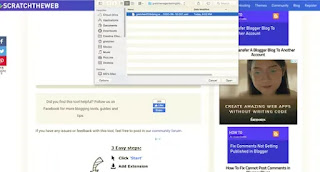
5. Go to the WordPress to Blogger Converter online tool, navigate to the exported file, and select Upload. A message that the file was successfully converted appears, and you're prompted to save and download the file.
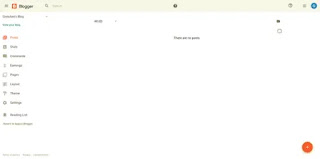
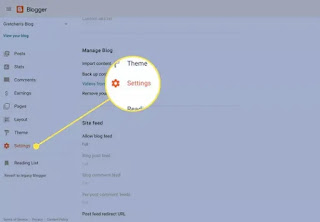
7.Select Settings from the menu on the left, then scroll down to the Manage Blog section.
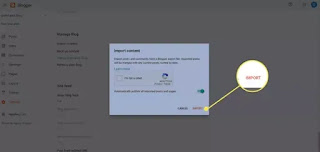
8. Select Import Content.
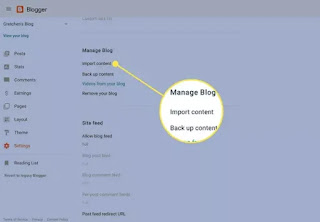
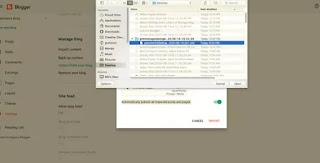
9. Select the Captcha check box and select Import.Turn on the Automatically publish all imported posts and pages toggle switch.

0 Comments
Drop a Comment or Ask Questions.....